Software development · Minebea Intec GmbH · June–July 2026
TConfig desktop application
A Windows application for monitoring and configuring multiple weighing instruments, including PR5170, over RS232 and RS485.
Application design, development & serial integration
Electron · React · TypeScript · Node.js
Weighing dashboard
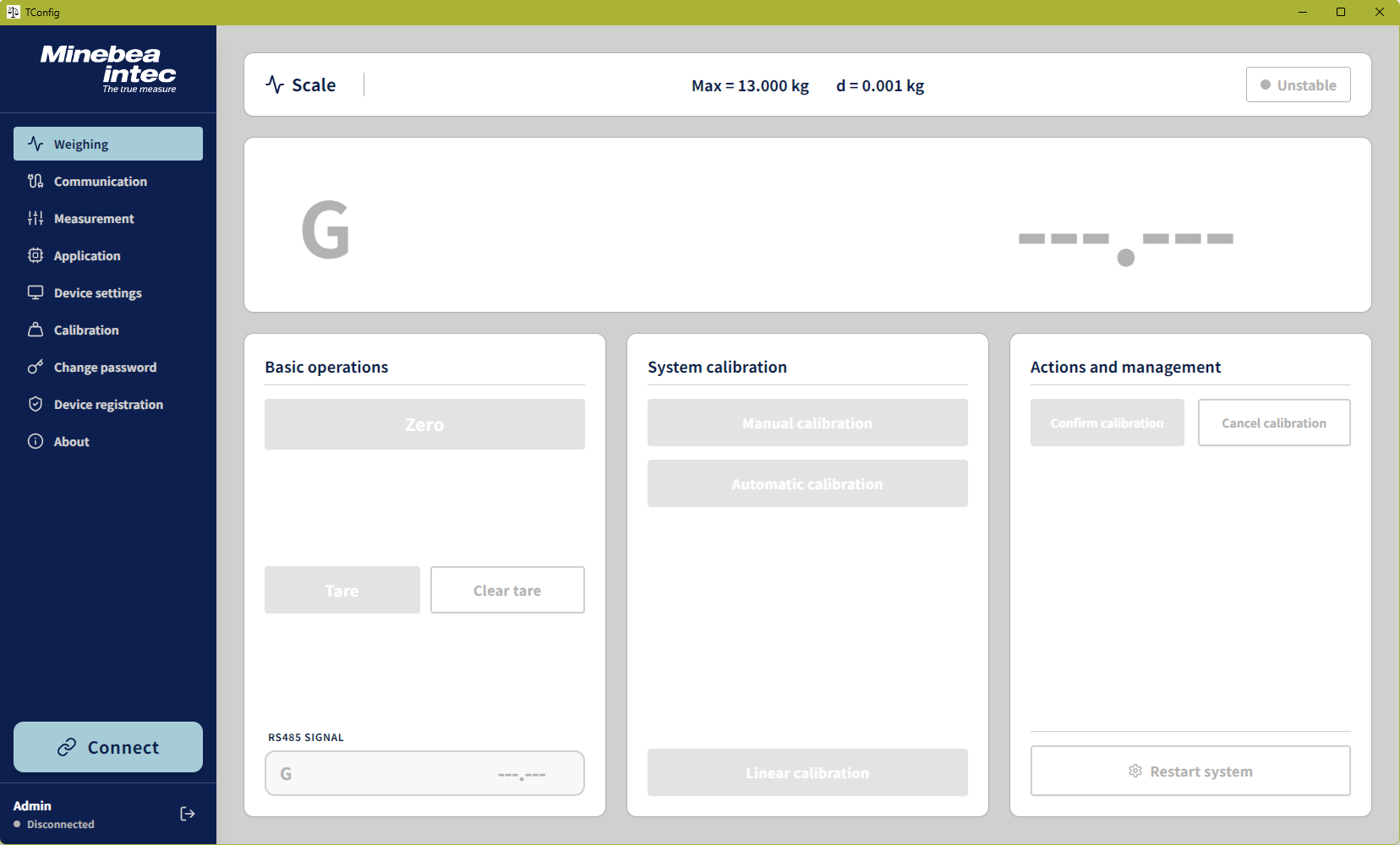
The main RS232 weight display and secondary RS485 readout sit alongside zero, tare, calibration, and restart controls. These controls operate the instrument’s calibration workflow; calibration calculations and stored coefficients remain in its firmware.
View full-size screenshotScreenshots show the application interface with the instrument disconnected.
A clearer view of the instrument
I designed and developed TConfig, a Windows desktop application supporting multiple weighing instruments, including PR5170. It brings weight monitoring, serial setup, measurement and application settings, device information, and calibration controls into one operator interface. An Electron service connects these workflows to the instrument through RS232/SBI and RS485/Modbus RTU.
My work: Designed the operator workflows, developed the desktop application and serial integration, and verified protocol behavior with instrument manuals, serial traces, and real-device feedback.
Selected application screens
These screens follow the workflow from local sign-in and serial setup to measurement settings, device information, and calibration-weight configuration. Each page groups related operations and provides feedback on parameter reads and writes.
Sign-in and communication
Enter the desktop application, then configure how the computer communicates with the instrument.
Application sign-in
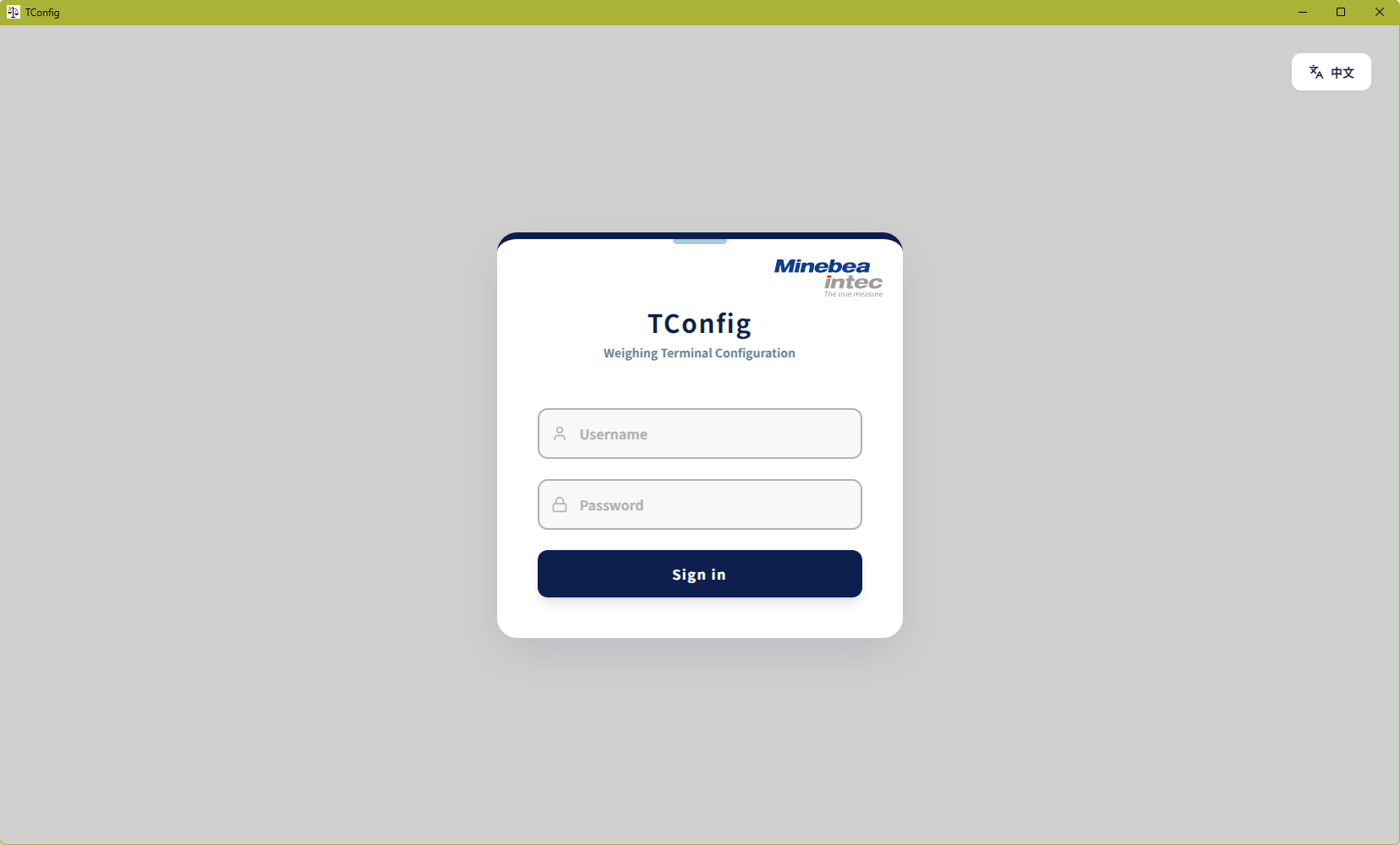
A local username-and-password sign-in opens the application. Account handling is separate from selecting and opening the instrument’s serial connections.
View full-size screenshotSerial communication settings
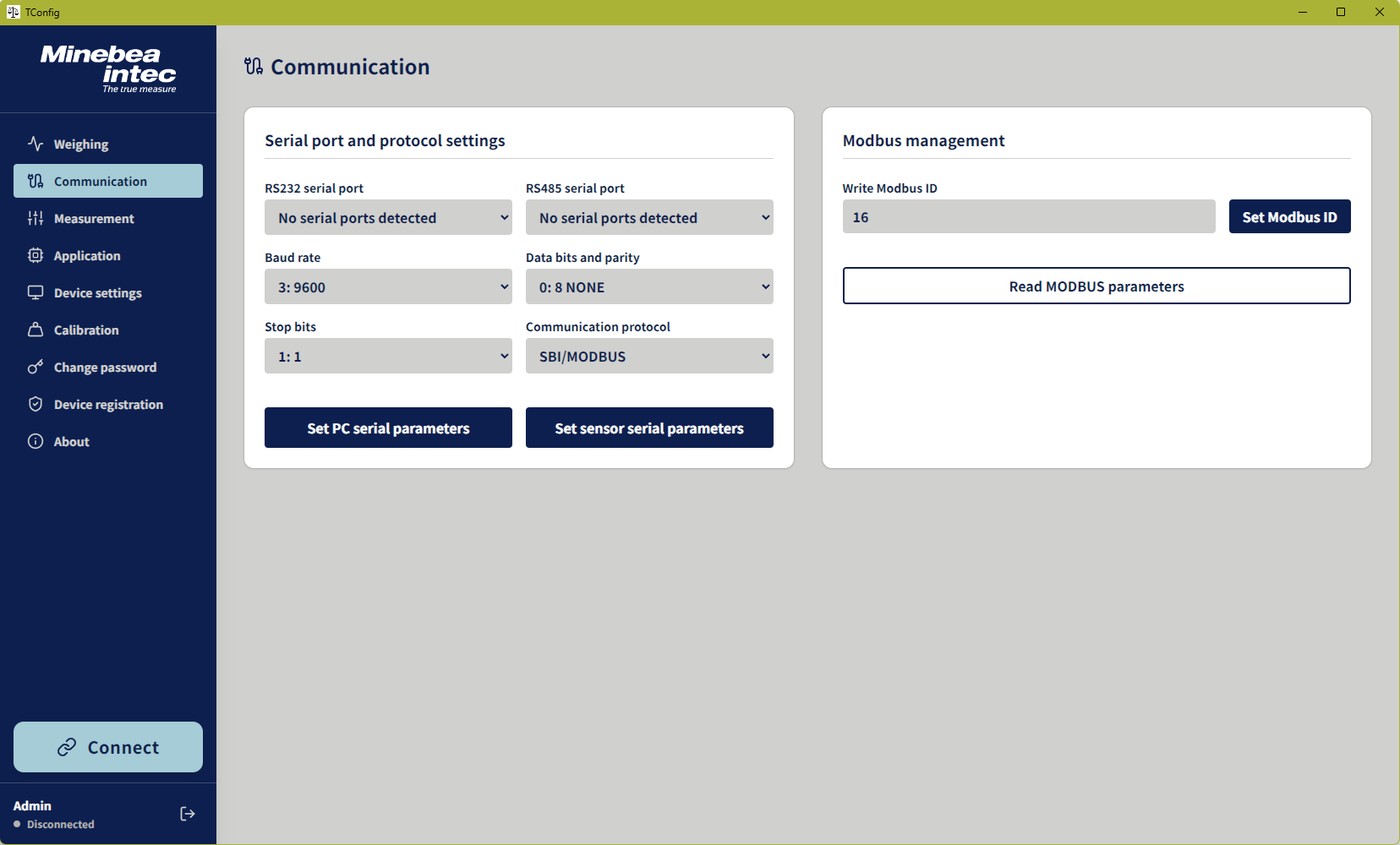
RS232/SBI and RS485/Modbus RTU settings cover port selection, baud rate, framing, and device address. Separate actions apply the computer’s serial settings or write communication parameters to the instrument.
View full-size screenshotMeasurement and application settings
Configure the instrument’s measurement range and operating behavior, with separate controls for reading values and applying changes.
Measurement parameters
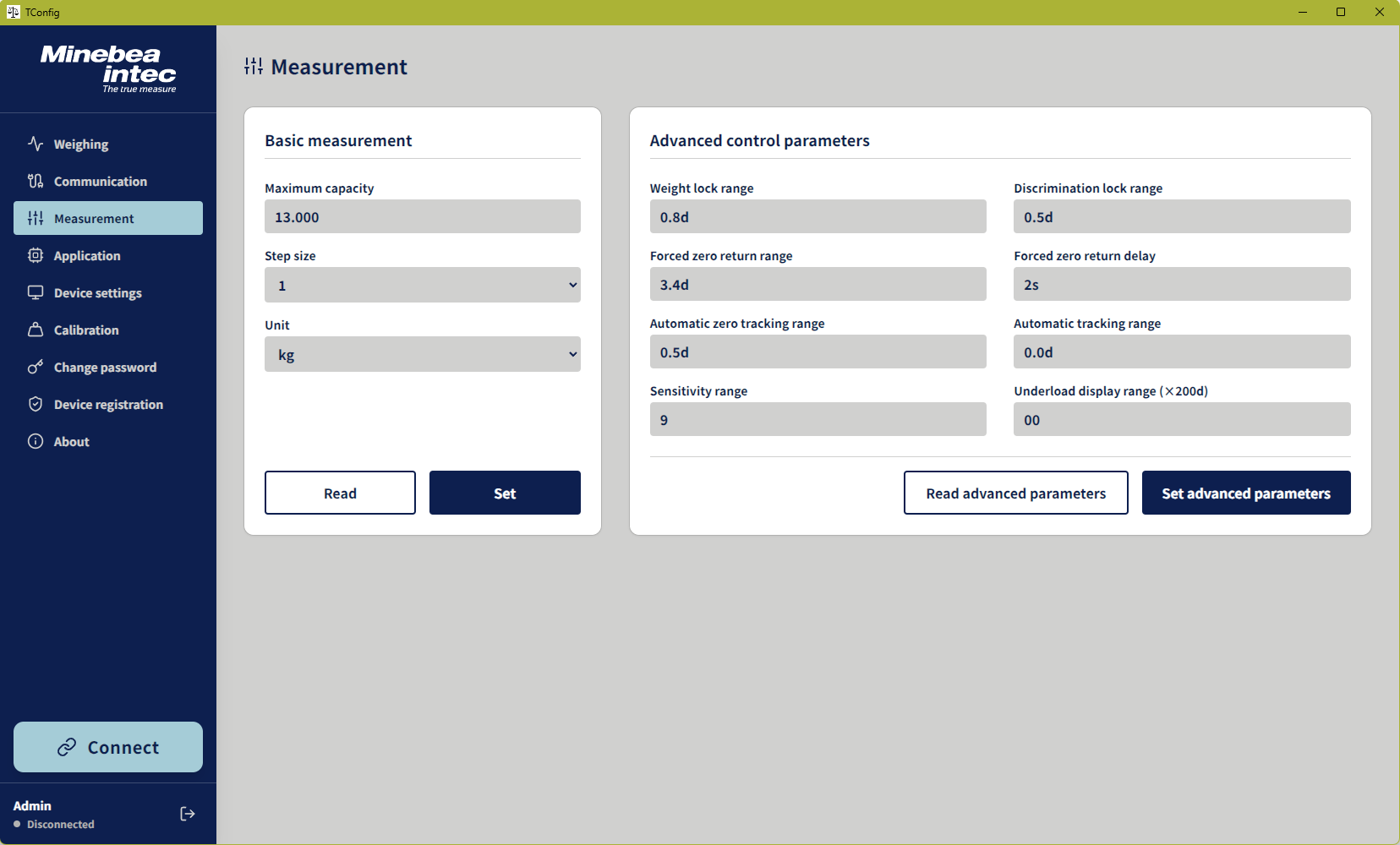
Capacity, step size, and unit settings are grouped separately from advanced controls such as zero tracking, lock ranges, and sensitivity. Advanced parameter workflows preserve edited values and compare selected writes against instrument readback.
View full-size screenshotApplication parameters and read feedback
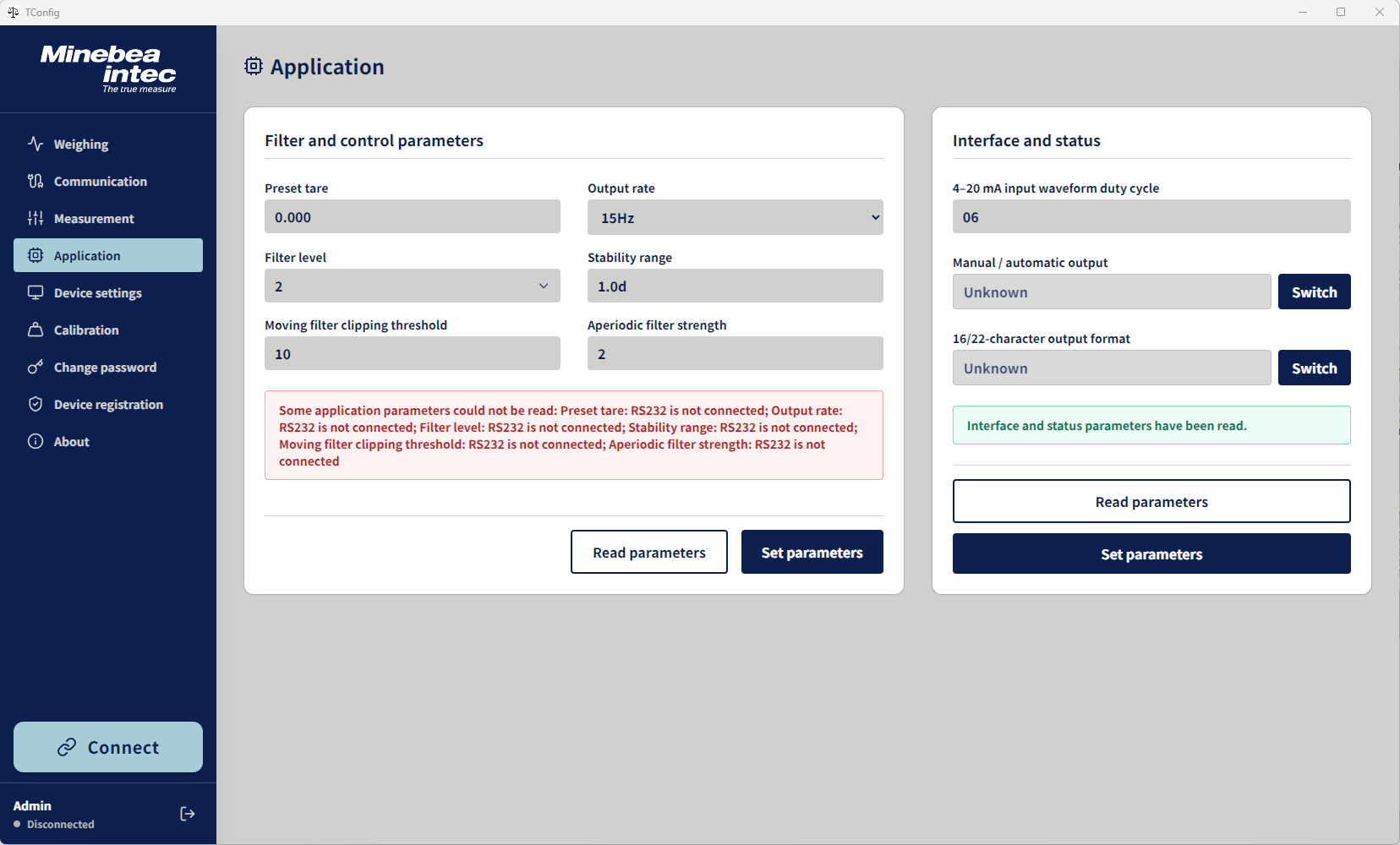
Preset tare, output rate, filtering, and stability settings share a page with the 4–20 mA duty-cycle parameter, output mode, and output format. Separate feedback areas report the progress and results of each parameter group.
Disconnected preview: RS232 reads are unavailable, and output mode and format remain unknown.
View full-size screenshotDevice information and calibration
Inspect device information, adjust startup behavior, and prepare calibration weights through dedicated instrument commands.
Device information and settings
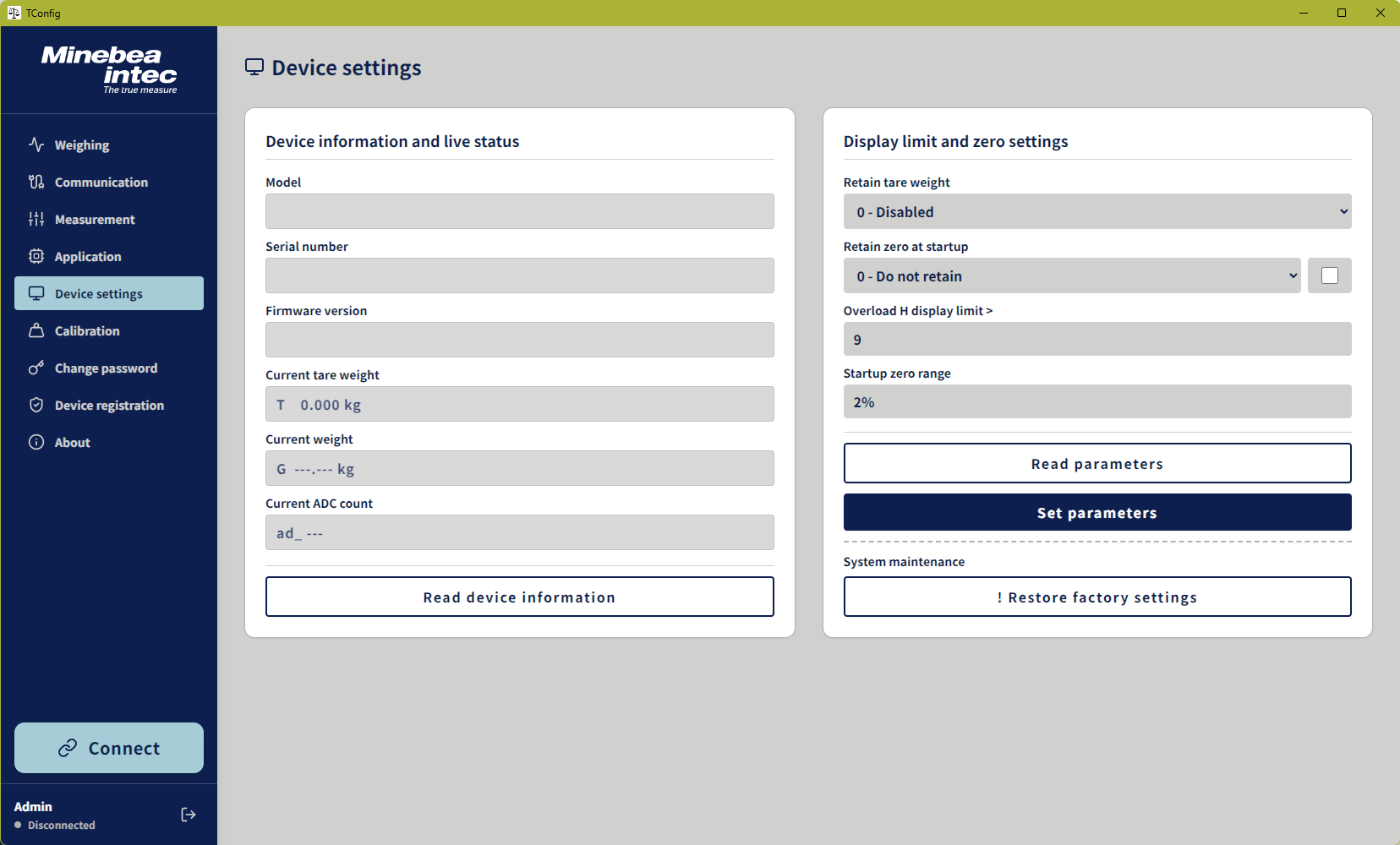
Device identity, firmware version, tare, and ADC information are grouped alongside tare retention, startup zero behavior, and display limits. Device-information reads and parameter operations have separate controls; factory reset uses a confirmation step.
View full-size screenshotCalibration-weight configuration
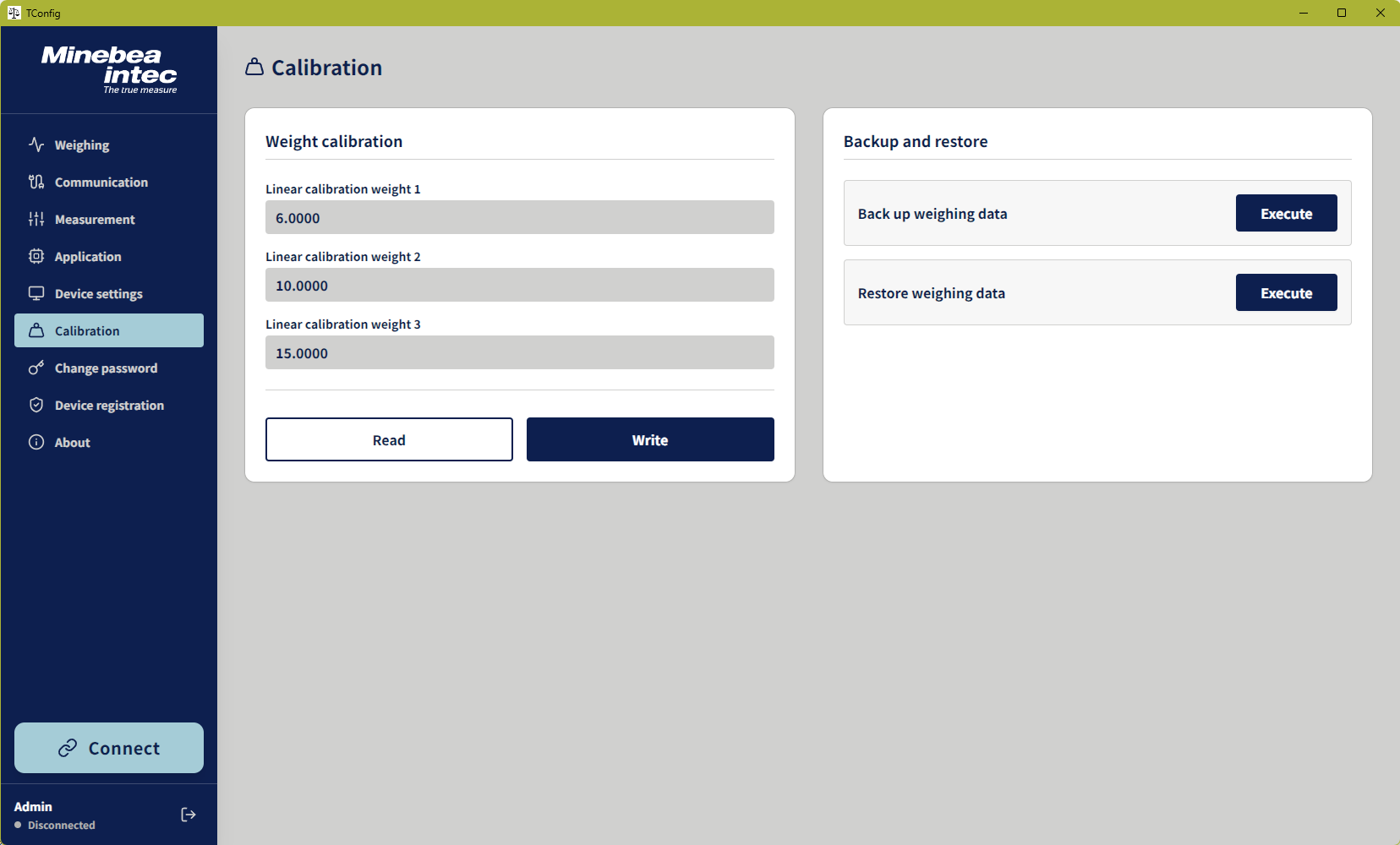
Three calibration-weight parameters have dedicated read and write controls. Reads use passive queries without entering calibration mode. Backup and restore send the instrument’s weighing-data commands; the application reports when those commands have been sent.
View full-size screenshotThe engineering decisions
TCONFIG · V2.0.0Live weights and parameter replies share a serial connection, and delayed responses can overwrite a user’s edits or be mistaken for new weight data. Calibration-parameter reads also need to retrieve existing values without entering a control mode. The application must keep the operator’s intent, displayed values, and instrument state aligned.
- Checked command syntax, field lengths, units, and numeric encodings against instrument manuals and observed serial traffic.
- Enabled routine weight polling on the weighing page and coordinated queued parameter operations with that polling.
- Added page-specific read and write feedback, input protection, and readback comparisons for advanced measurement and calibration-weight parameters.
- Packaged the Windows application with its native serial dependencies and added focused regression and resource checks for delivery.
Design details & validation
Route each reply to its request
A tare query can return a frame that resembles a live weight. Pending parameter requests match and consume their replies before ordinary weight events are published. Calibration frames identify the point number before parsing the weight value, keeping C1/C2/C3 labels out of the numeric result.
Keep edits separate from confirmed values
Advanced measurement forms protect fields being edited and retain a separate record of confirmed instrument values. Writes run in sequence, followed by delayed readback and comparison. Field-level feedback reports mismatches or failures, while calibration-weight writes use their own numerical readback checks.
Read calibration weights without entering calibration
Dedicated passive queries replaced an earlier control-mode probing path. The serial service restricts commands during these reads, uses a read-only Modbus fallback when needed, and shares concurrent requests. Missing optional points retain an explicit default marker. Seven simulated-serial regression tests cover these read boundaries.
Package a consistent Windows application
The installer includes the native serial module and a checked font subset. FontTools/WOFF2 subsetting reduced the shipped font from 30.7 MB to approximately 0.21 MB while preserving required characters and variable weights. The application also retains its existing data directory after the TConfig rename, preserving access to local account and registration records.
Recorded results
- Delivered nine main application pages plus login and a Windows x64 installer with native serial support.
- Added focused regression coverage for calibration reads; the handoff records seven passing simulated-serial tests and passing TypeScript checks.
- Shipped a font subset of approximately 209 KB instead of the original 30.7 MB font, retaining the required characters and variable weights.
Instrument feedback guided development. The final passive-read changes have focused simulated-serial coverage; the handoff does not include a subsequent complete hardware acceptance run.
I designed and developed the application, building on the React interface I had provided. I defined operating requirements, verified protocol details through documentation and device tests, and refined the implementation using observed behavior. AI coding tools supported implementation, refactoring, and test generation.
What the work delivered
Delivered a Windows application supporting multiple weighing instruments, with nine main pages plus sign-in and a Windows x64 installer with native serial support. The handoff records seven passing simulated-serial tests for passive calibration-weight reads and passing TypeScript checks. Development combined protocol documentation, serial traces, and feedback from instrument tests.
The project period refers to the internship. Release-package and handoff checks also include August–September 2026 records.